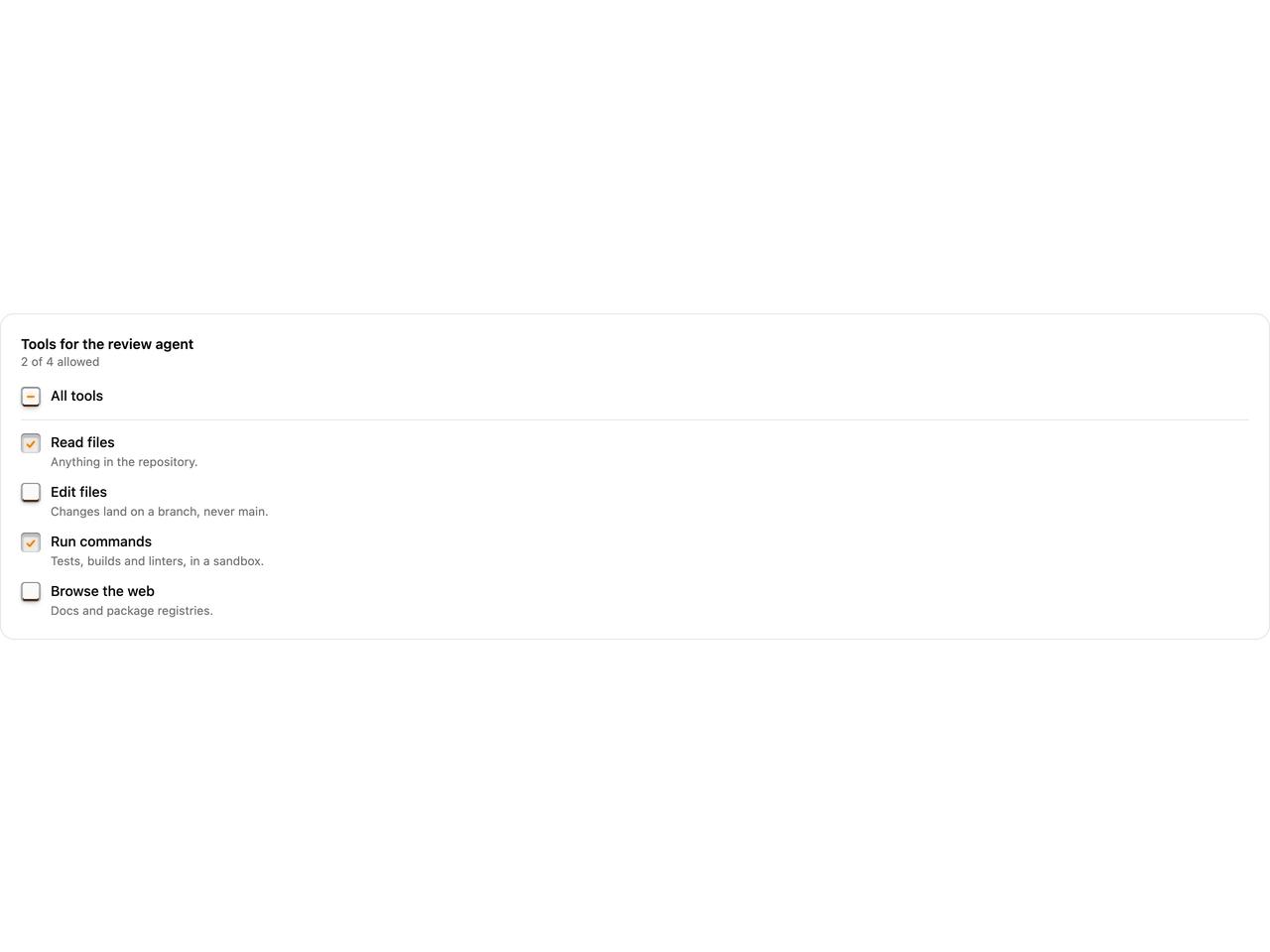
"use client"

import * as React from "react"
import {
  LatchCheckbox,
  LatchCheckboxDescription,
  LatchCheckboxField,
  LatchCheckboxGroup,
  LatchCheckboxLabel,
} from "@/components/ui/latch-checkbox"

const tools = [
  { value: "read", label: "Read files", description: "Anything in the repository." },
  { value: "write", label: "Edit files", description: "Changes land on a branch, never main." },
  { value: "shell", label: "Run commands", description: "Tests, builds and linters, in a sandbox." },
  { value: "web", label: "Browse the web", description: "Docs and package registries." },
]

/** What an agent may do. The top key presses or releases them all, and sits half-down when some are on. */
export function LatchCheckboxPermissions() {
  const [allowed, setAllowed] = React.useState(["read", "shell"])
  return (
    <div className="flex w-full flex-col gap-4 rounded-xl border bg-card p-5">
      <div>
        <p id="agent-tools" className="text-sm font-semibold">
          Tools for the review agent
        </p>
        <p className="text-xs text-muted-foreground">
          {allowed.length} of {tools.length} allowed
        </p>
      </div>
      <LatchCheckboxGroup
        aria-labelledby="agent-tools"
        value={allowed}
        onValueChange={setAllowed}
        allValues={tools.map((t) => t.value)}
        className="gap-3"
      >
        <LatchCheckboxField className="border-b pb-3">
          <LatchCheckbox parent />
          <LatchCheckboxLabel>All tools</LatchCheckboxLabel>
        </LatchCheckboxField>
        {tools.map((tool) => (
          <LatchCheckboxField key={tool.value}>
            <LatchCheckbox value={tool.value} />
            <LatchCheckboxLabel>{tool.label}</LatchCheckboxLabel>
            <LatchCheckboxDescription>{tool.description}</LatchCheckboxDescription>
          </LatchCheckboxField>
        ))}
      </LatchCheckboxGroup>
    </div>
  )
}

export default LatchCheckboxPermissions