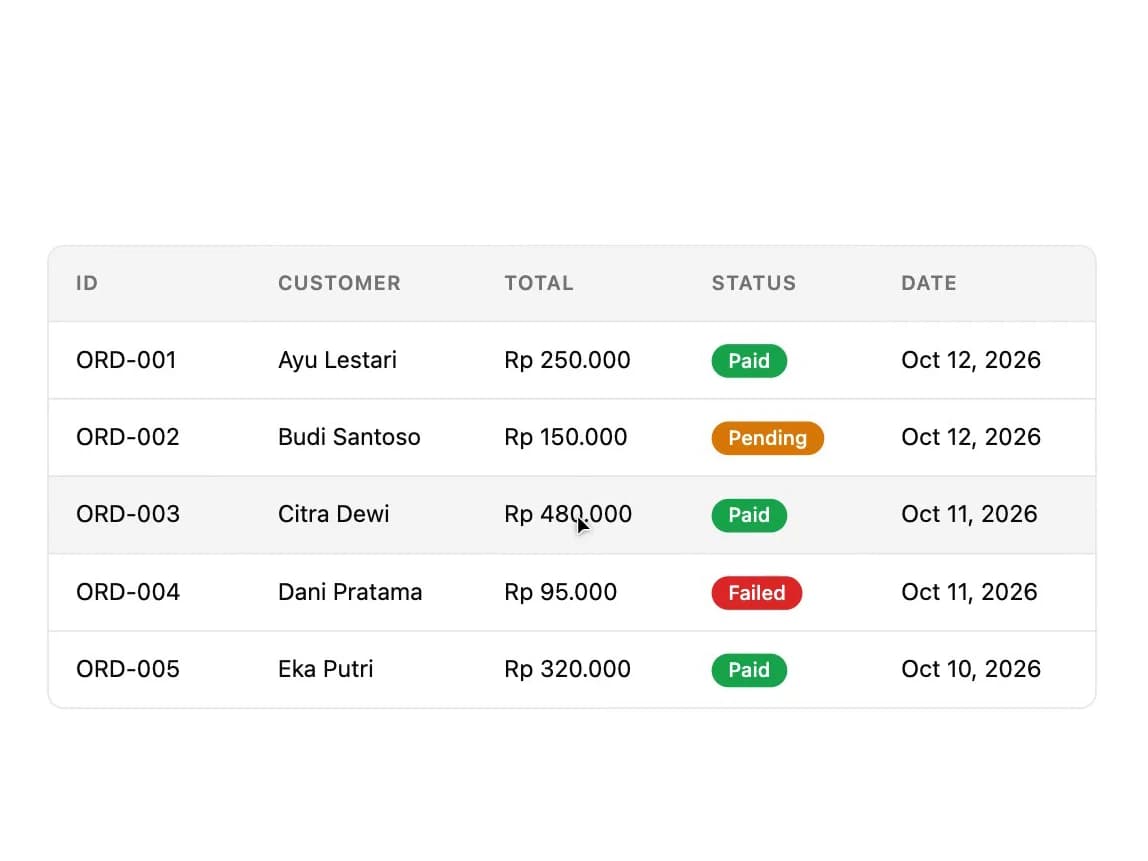
"use client";

import * as React from "react";
import { DataTable, type Column } from "@/components/ui/data-table";

type Order = {
  id: string;
  customer: string;
  total: number;
  status: "paid" | "pending" | "failed";
  date: string;
};

const orders: Order[] = [
  {
    id: "ORD-001",
    customer: "Ayu Lestari",
    total: 250000,
    status: "paid",
    date: "Oct 12, 2026",
  },
  {
    id: "ORD-002",
    customer: "Budi Santoso",
    total: 150000,
    status: "pending",
    date: "Oct 12, 2026",
  },
  {
    id: "ORD-003",
    customer: "Citra Dewi",
    total: 480000,
    status: "paid",
    date: "Oct 11, 2026",
  },
  {
    id: "ORD-004",
    customer: "Dani Pratama",
    total: 95000,
    status: "failed",
    date: "Oct 11, 2026",
  },
  {
    id: "ORD-005",
    customer: "Eka Putri",
    total: 320000,
    status: "paid",
    date: "Oct 10, 2026",
  },
];

const formatRupiah = (n: number) =>
  new Intl.NumberFormat("id-ID", {
    style: "currency",
    currency: "IDR",
    minimumFractionDigits: 0,
  }).format(n);

const statusStyles: Record<Order["status"], string> = {
  paid: "bg-success text-success-foreground",
  pending: "bg-warning text-warning-foreground",
  failed: "bg-danger text-danger-foreground",
};

const statusLabel: Record<Order["status"], string> = {
  paid: "Paid",
  pending: "Pending",
  failed: "Failed",
};

function StatusPill({ status }: { status: Order["status"] }) {
  return (
    <span
      className={`inline-flex items-center rounded-full px-2.5 py-0.5 text-xs font-medium ${statusStyles[status]}`}
    >
      {statusLabel[status]}
    </span>
  );
}

export default function DataTableDemo() {
  const columns: Column<Order>[] = [
    { key: "id", header: "ID", width: "120px" },
    { key: "customer", header: "Customer" },
    { key: "total", header: "Total", render: (r) => formatRupiah(r.total) },
    {
      key: "status",
      header: "Status",
      render: (r) => <StatusPill status={r.status} />,
    },
    { key: "date", header: "Date", mobileHide: true },
  ];

  return (
    <div className="w-full max-w-2xl p-6">
      <DataTable columns={columns} data={orders} keyExtractor={(r) => r.id} />
    </div>
  );
}