Use 21st in your agent
Search 12,000+ components, install them, generate UI and publish your own work, from the terminal or any MCP client
Install & sign in
Install and sign in
Login opens the browser and saves a token on your machine
npm i -g @21st-dev/cli 21st loginFind a piece and add it
21st search "pricing table" 21st add efferd/pricingIn CI and scripts
Skip login and pass
--api-key $API_KEY_21ST(or set the env var)
21st login saves a token on your machine, no key to paste
Then just ask your agent
What it looks like in your agent
> add a pricing table with a monthly/yearly toggle from 21st
21st · search "pricing table monthly yearly"
→Pricing · Efferd586 saves
Dark Gradient Pricing · Vaibhav Kumar Singh707 saves
Modal Pricing · Kokonut UI859 saves
21st · get_component efferd/pricing
· Writing components/ui/pricing.tsx
· Installing the dependencies it lists
· Swapping hardcoded colours for your tokens
✓ Typecheck and build pass. It is on /pricing
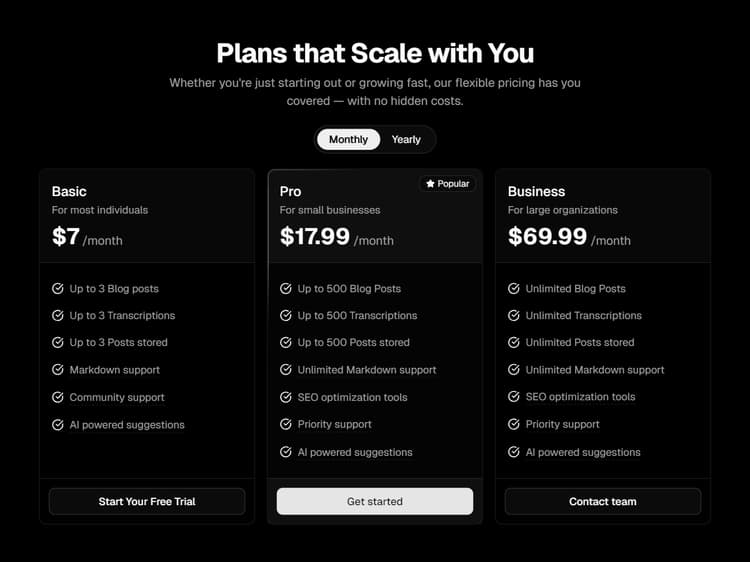
- Search from your agent, free on every plan
- Free accounts install 2 a day across web, MCP and CLI
- Unlimited installs via MCP and CLI on any paid plan
- 21st AI from your agent with Builder + AI credits
Questions about the setup











Let your agent shop the library
Join for free, get your key and ask for the piece you need