
About
HeroUI v3 Calendar — date calendar with year picker, controlled state, week/day views, min/max, unavailable dates, multiple selection, read-only, focused value, cell indicators, multiple months, booking example and custom styles.
Built with React and Tailwind. Copy the prompt and paste it into Claude Code, Cursor or Lovable: your agent adds HeroUI Calendar to your project and fits it to your theme.
Code
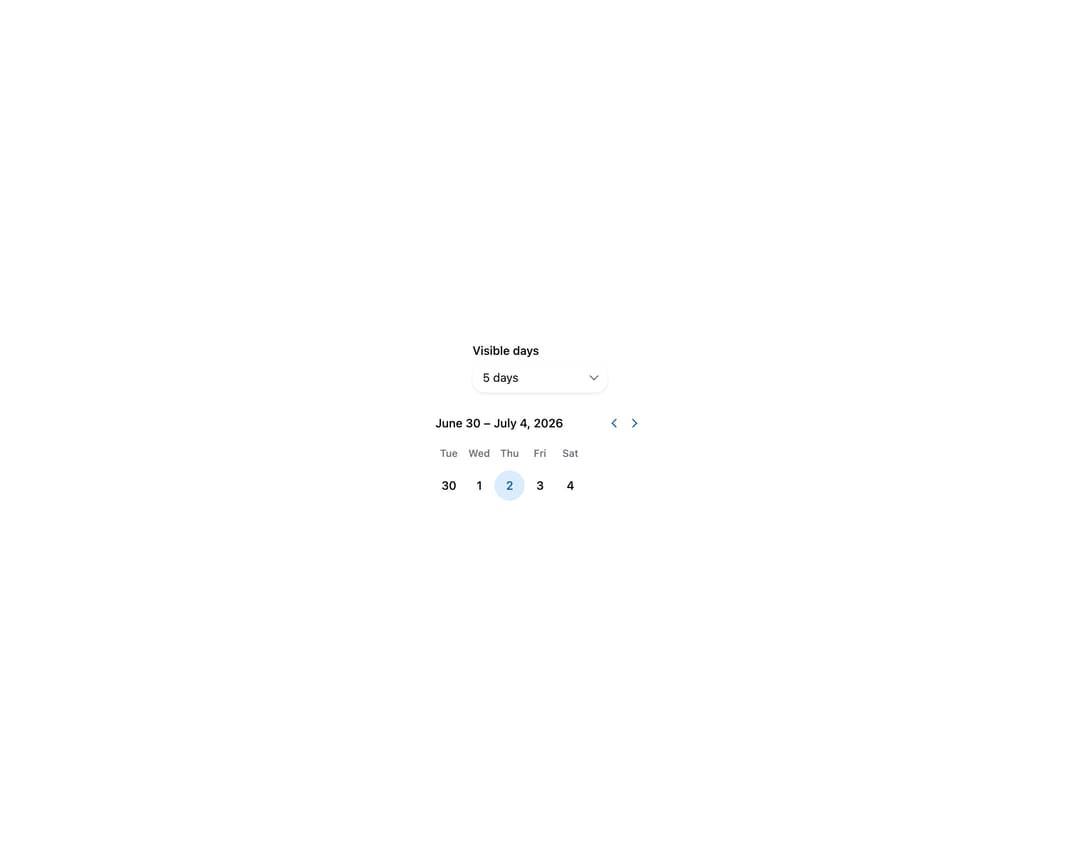
How HeroUI Calendar is used: the demo's code. The component's own source comes with a free account.
Usage.tsx
"use client"

import { Label, ListBox, Select } from "@heroui/react"
import { useState } from "react"
import { I18nProvider } from "react-aria-components"

import Calendar from "@/components/ui/heroui-calendar"

const dayOptions = [
  { id: "1", name: "1 day" },
  { id: "5", name: "5 days" },
  { id: "7", name: "7 days" },
  { id: "8", name: "8 days" },
  { id: "10", name: "10 days" },
  { id: "14", name: "14 days" },
  { id: "21", name: "21 days" },
] as const

export default function DayView() {
  const [days, setDays] = useState(5)

  return (
    <I18nProvider locale="en-US">
      <div className="flex flex-col items-center gap-6">
        <Select
          className="w-40"
          value={String(days)}
          onChange={(value) => value && setDays(Number(value))}
        >
          <Label>Visible days</Label>
          <Select.Trigger>
            <Select.Value />
            <Select.Indicator />
          </Select.Trigger>
          <Select.Popover>
            <ListBox>
              {dayOptions.map((option) => (
                <ListBox.Item key={option.id} id={option.id} textValue={option.name}>
                  {option.name}
                  <ListBox.ItemIndicator />
                </ListBox.Item>
              ))}
            </ListBox>
          </Select.Popover>
        </Select>

        <Calendar aria-label="Day view" visibleDuration={{ days }}>
          <Calendar.Header>
            <Calendar.Heading />
            <Calendar.NavButton slot="previous" />
            <Calendar.NavButton slot="next" />
          </Calendar.Header>
          <Calendar.Grid>
            <Calendar.GridHeader>
              {(day) => <Calendar.HeaderCell>{day}</Calendar.HeaderCell>}
            </Calendar.GridHeader>
            <Calendar.GridBody>{(date) => <Calendar.Cell date={date} />}</Calendar.GridBody>
          </Calendar.Grid>
        </Calendar>
      </div>
    </I18nProvider>
  )
}
Dependencies
More by Hero Ui
View all

DatePicker
466
Chip
440
The Pagination
361
HeroUI Color Picker
105
Skeleton
104
HeroUI Table
98
HeroUI Disclosure Group
94
HeroUI AlertDialog
79